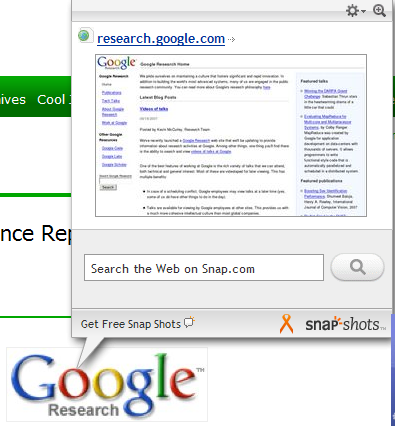
 If you are like me not only do you not want to see those ads that a lot of very good web pages have but you also do not want to fight with pop-up windows that are also ads like the one shown to the left from Snap* Shots. They take up a lot of space in your window and of course most of us are conditioned so that if we see a "+" in the right hand corner of the window we assume that it will function the same as the Windows "X" in the corner of a open window and close it. However, when you click this for one of the pop-ups you get a second helping of advertising. We I have touched previously on how you can block this in Internet Explorer, Opera and Firefox. But if you just want to be done with seeing these ads from Snap* Shots quickly they have a javascript cookie you can load from their FAQ site HERE. If you are like me not only do you not want to see those ads that a lot of very good web pages have but you also do not want to fight with pop-up windows that are also ads like the one shown to the left from Snap* Shots. They take up a lot of space in your window and of course most of us are conditioned so that if we see a "+" in the right hand corner of the window we assume that it will function the same as the Windows "X" in the corner of a open window and close it. However, when you click this for one of the pop-ups you get a second helping of advertising. We I have touched previously on how you can block this in Internet Explorer, Opera and Firefox. But if you just want to be done with seeing these ads from Snap* Shots quickly they have a javascript cookie you can load from their FAQ site HERE.
I know it sounds a little odd to say the least to tell you to go to the offending companies web site and click on a javascript word but it works and quickly. One thing to remember is that this works best for Internet Explorer and it will only work as long as you do not delete the cookie that this script has loaded. Please see the snippet below and notice the bottom left corner where it says "SPA true". If you were to click the link again it would say "SPA false" and the Snap* Shots ads would once again be annoying you. 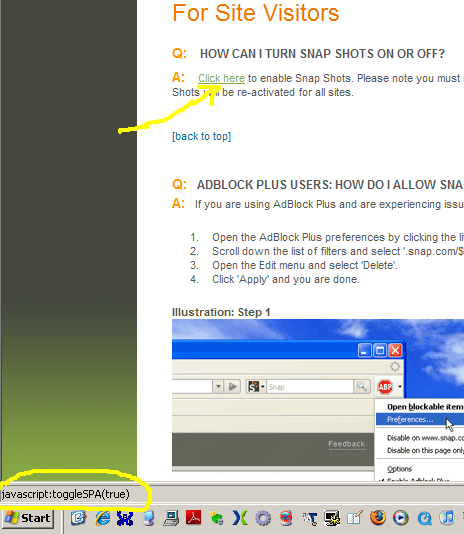
Labels: Firefox, IE, Opera
|


